Kit List: How To Record Business Quality Videos Using An IPhone In Just A Few Minutes
TMS Help Team • October 23, 2020

Kit List: How To Record Business Quality Videos Using An IPhone In Just A Few Minutes

The key to getting good at videos is of course practise, but in my experience, making it as easy as possible to create a video is equally important. 

If it takes a long time to set up a shoot it’s easy to always find an excuse to not bother! 

Ideally you want to be able to set up and record a video in 30 minutes. The iPhone has an auto focus that means you only need one of you to record ( DSLR camera’s require focussing making the whole process more fiddly for one person) which is a bonus – so after much trial and error I always use an iPhone now.

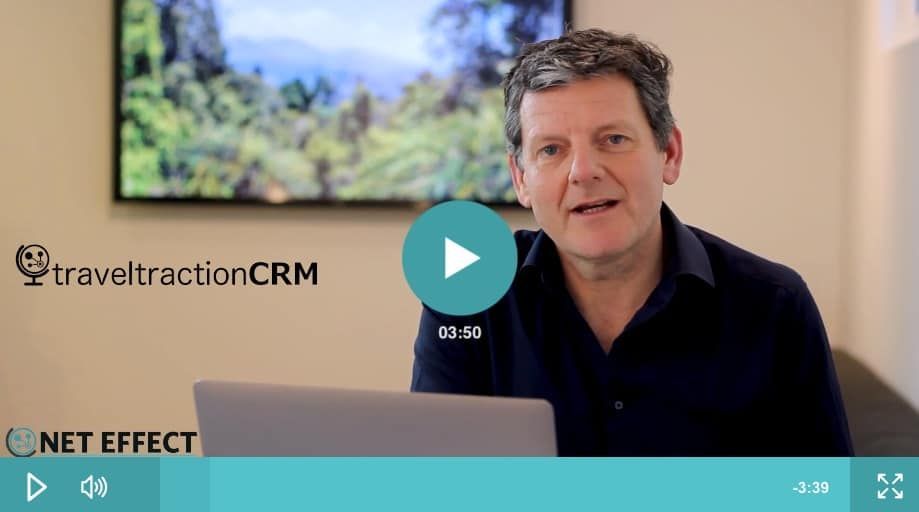
I’m going to take you through how I created the video below using just my iPhone – let’s first take a look at the finished product.

Step 1: Decide on your location

My Office looks pretty good – the below screenshot is me sitting in my office – but to get the right background I have to set up the TV screen, make sure it shows something vaguely indiscript and then get someone to focus my DSLR camera. That all takes time and so I find that using a green screen is a really good way of being able to record video quickly and easily.
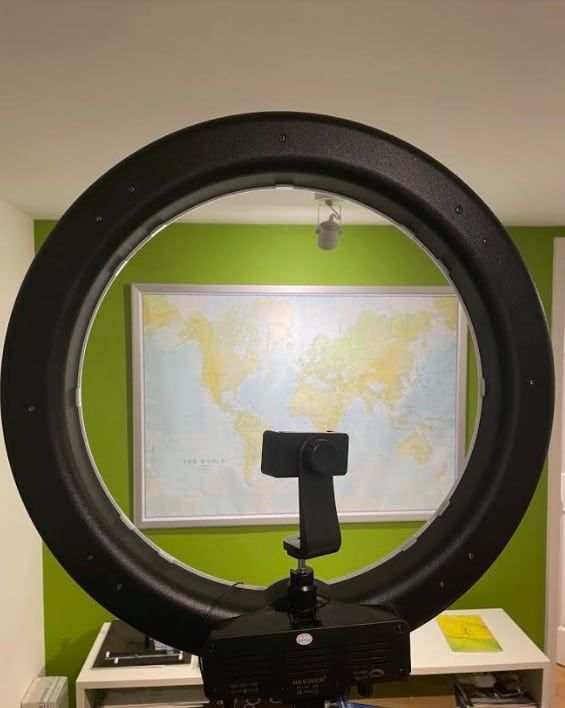
So in order to easily record I have a wall painted green which I hang a map on for when I am not recording 


This is the wall I stand in front of ( having taken off the map). The circular object is my Ring Light – more of that below.
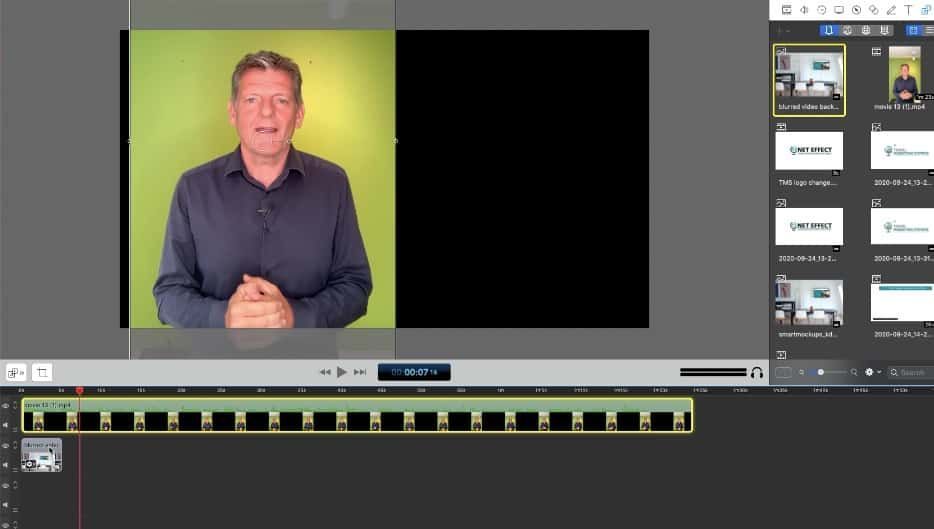
The Video below shows a clip of how I turn a recording of me talking to camera ( iPhone) into the video you saw at the top of this article.


Looks pretty simple right? Well it is and if you keep a space all set up it’s even easier. Of course, if you don’t want to use a green screen it’s an even quicker process.


Step 2: iPhone Kit List

Lighting : I find that the Newer 18 inch Ring Light is the quickest and best lighting rig for a quick video. Click on the image for more information. Alternatives include buying numerous lights and setting up a mini studio. With the Newer Light it’s one light and easy to pack up and take with you.
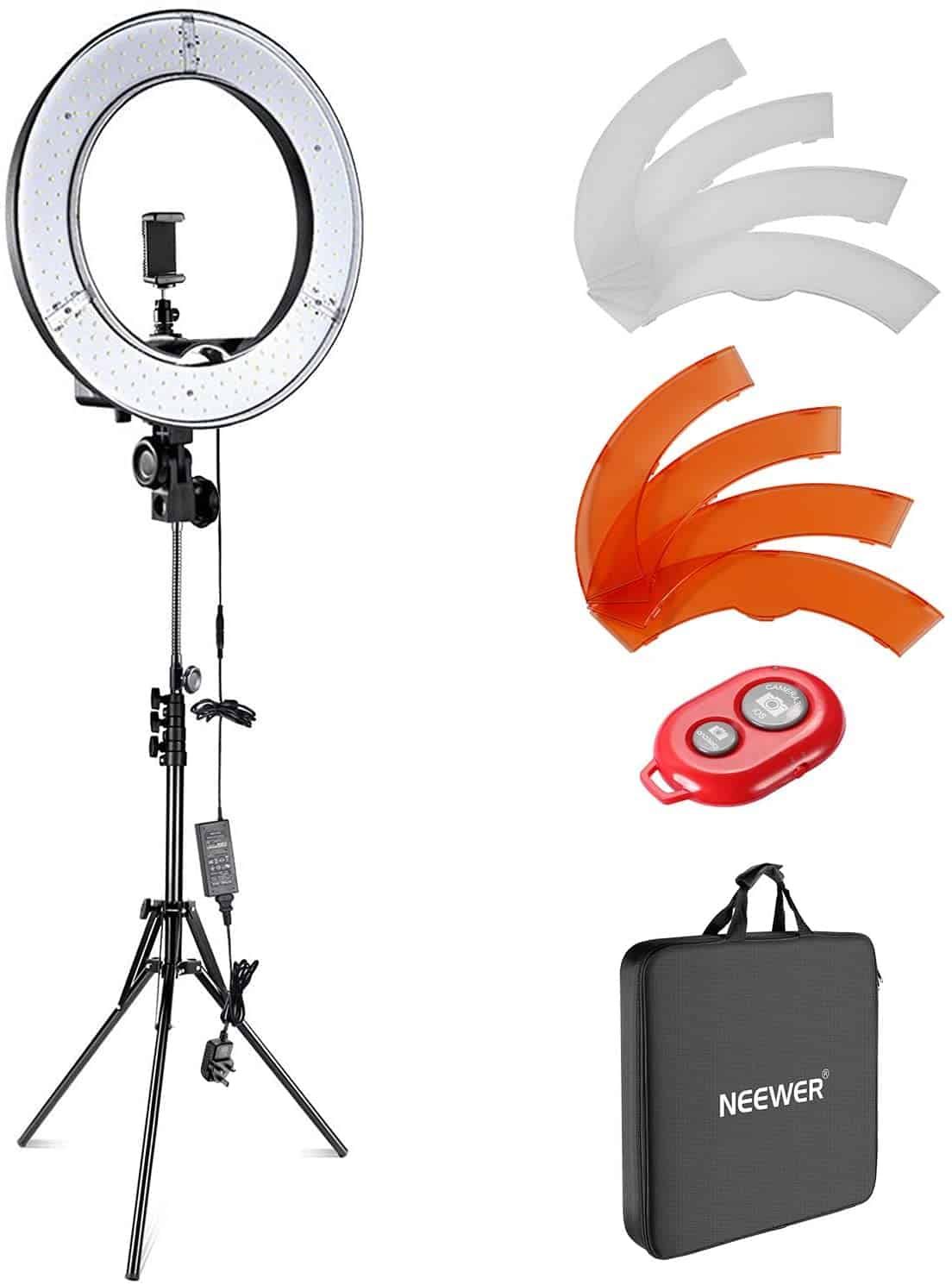
Buy on Amazon

Sound | Microphone: This is more important than you would ever think. In some ways I think it’s more important than the video quality. Let me explain why using two examples.


I’ve tried lots of microphones and settled on ‘Rode’ microphones as the best. I have 4 but only use two. One is connected to my Mac for making screencasts and one for videos.


Consider the two videos below: This first one the lighting and image quality is better – it’s shot with a DSLR and studio lighting and a 50mm lens. It took hours to set up ( + the services of my son for setting up the camera) and I used a Rode Pro Compact Directional Microphone . Note how the sound is slightly tinny due to the microphone being situated some distance from my mouth ( why I think lavalier microphone work better)


Compare that with this video using the Rode Lavalier Microphone which is a third of the price of the microphone I used in the first video

People watching your videos will do so for more time as sound has a huge impact on enjoyment. So I recommend you buy the lavalier microphone for £45. 
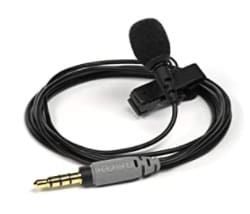
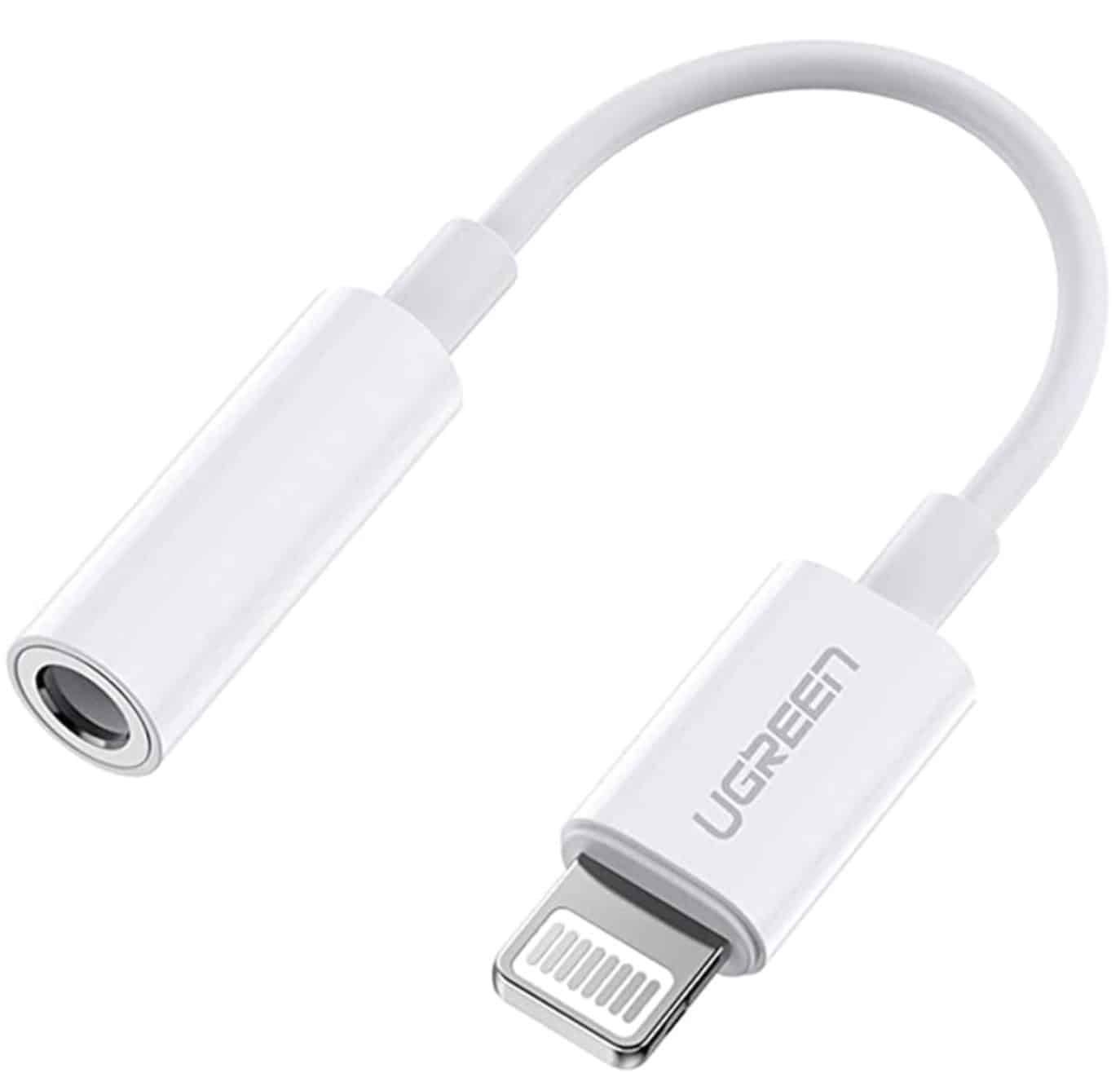
If you have an iPhone with a lighting connector the only issue you will have will be the microphone won’t work with your phone. So you’ll need to buy a connector
…. and if you really want to splash out, go wireless with the Film Maker Kit , but it will set you back £300 >>

Teleprompter: iPhone teleprompter – this is the best one I have used – and there is now a companion Mac app. It enables you to read while recording and it looks like it’s entirely unscripted : https://apps.apple.com/us/app/video-teleprompter/id1444106389
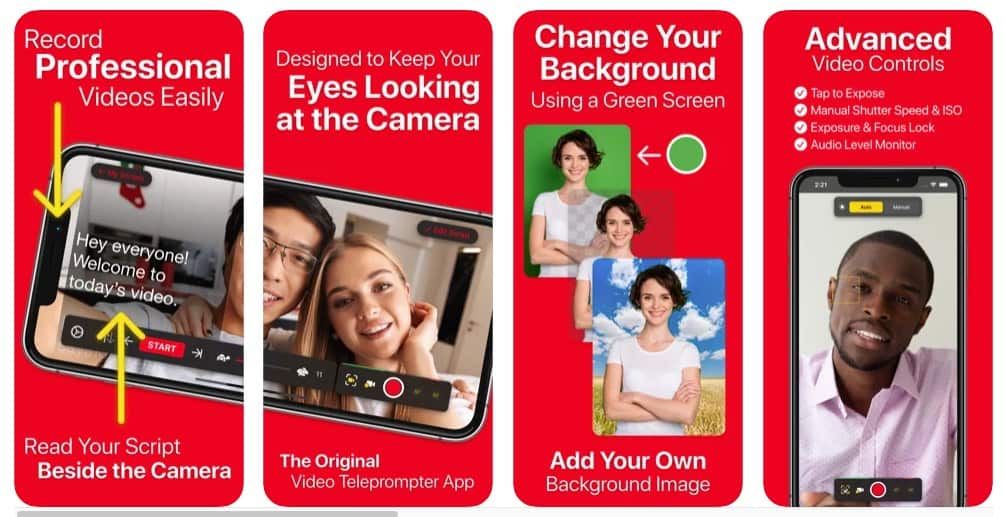

Virtual Backgrounds


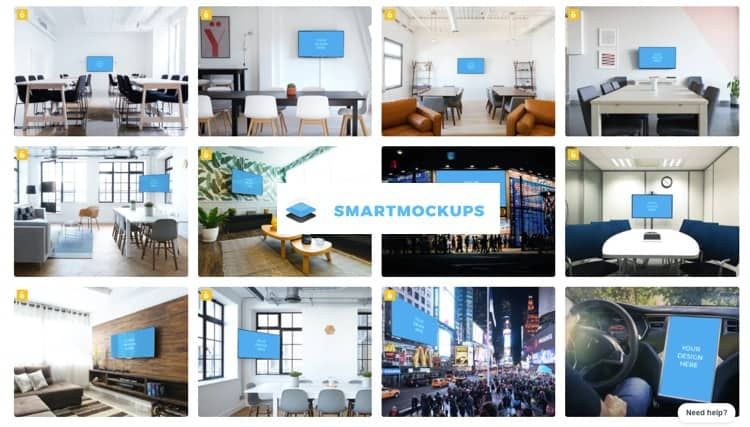
We all live messy lives – some more than others. Even if you are tidy it’s amazing what a photo will show up so sometimes it’s just easier to use a Virtual Background.


I use backgrounds at ‘
Smartmockups‘ as it enables me to upload a screenshot and place on a TV screen but you can also find ones you can’t add your logos’ screens to at Unsplash


Writing Scripts


I create my script in google docs and then copy it across on my iPhone. The App developer has just brought out a mac desktop app so you can sync iPhone and Mac more easily but I have not used it yet I I just copy the script in on my iPhone.


Writing a script and using a teleprompter stops all the ‘ups and ahs’ that inevitably happen with an unscripted piece ( or you just ramble which can be boring). It’s well worth spending the time scripting.


Render Video Kit List

Add your custom HTML here

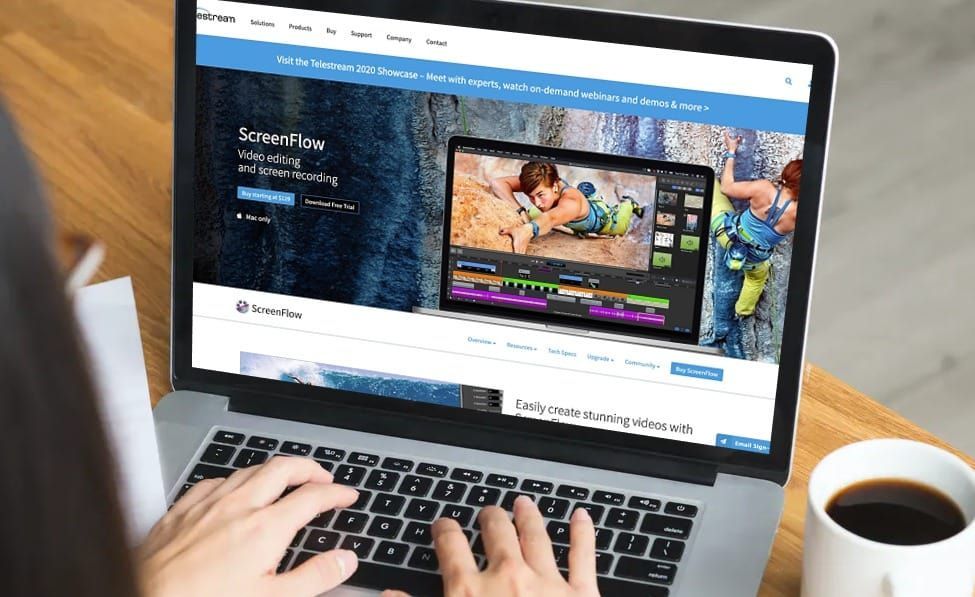
Making the Video: Adjusting video / adding slides / extra videos / splices etc. I use this http://www.telestream.net/screenflow/overview.htm but you can also use iMovie or similar if you prefer. Screenflow is a one off cost and I’ve used it for years so if making videos is going to be an important marketing channel for you ( and it should be) then the $129 is well worth the investment.


Both are quick to learn – and they render in 1080p resolution meaning you’ll get that great sharp look to your videos ( cheaper alternatives only render at 720p which does not look as sharp ( i.e. not as professional)

Once completed it’s time to upload.


Upload to Youtube

The big advantage Youtube has is that:


1. You can make videos private ( only accessible with a link), hidden or public. This enables you to use your account as a video library and only have videos you choose as public searchable. You can still link to private videos if you do want to share them with select people.


2.. Most website CMS systems ( like WordPress) enable easy adding of Youtube videos to a page.


It takes a while to get used to doing the video’s – but once you’ve mastered it gets quicker. For a 3 minute video I do it takes me around 30 minutes to write it, 20 minutes to record ( and then re record as first take never any good!) and then around 45 mins to add other elements in Screenflow.


I then upload to Youtube Studio ( everyone with a youtube account can have this) and save as a non public video that needs a link to access ( so that no one can see it unless I send the link) or of course, make it a public one if I am happy for it to be on my feed.


For Emails


I use https://gifrun.com/ ( its free) to make a GIF ( which is a moving image, not a video) that you can add to an email which makes it look like the video is embedded. When you add the Gif you’ll need to link to your Youtube video. This helps show users reading your emails that its a video and you’ll get more clicks / engagement.


Conclusion

I’ve tried a lot of kit out and the above seems to me to be the best any small business needs produce professional quality videos, without spending a fortune. 

It may seem odd talking to camera at the beginning. It did to me, but you get used to it and it becomes second nature in the end. Keep practising – and send me the results when yuo have any.


By Steve Rushton November 19, 2025
Run an automated SEO audit on a travel website and you’ll usually get a scary-looking report back: • Thousands of pages with “duplicate titles” • Meta descriptions “missing” or “too short” • Endless URLs that apparently need “fixing” If you work in travel, that kind of report can be pretty demoralising. It sounds like your site is broken, your SEO is a disaster, and you’ll never rank for anything meaningful. The reality is usually very different. Most automated tools – Screaming Frog, Sitebulb, SEMrush and the rest – are brilliant at crawling websites. But they make one big assumption: Every URL they find is a standard web page, built by hand, and intended to be fully optimised for SEO. That’s just not how modern travel sites work. In this post, we’ll look at why automated audits misread travel websites, what those “issues” really mean, and where SEO effort genuinely is worth spending. ⸻ How audit tools see your site Tools like Screaming Frog do one simple thing very well: 1. Start from a URL. 2. Follow every link they can find. 3. Treat every URL they discover as a “page” and test it against a checklist: • Has it got a title tag? • Is the title unique? • Is there a meta description? • Is there enough content? • Is it indexable? If they find 20,000 URLs, they assume there are 20,000 pages that should all be lovingly crafted, unique, SEO-friendly landing pages. On a typical corporate site that might make sense. On a travel site, it doesn’t. ⸻ How travel websites are actually built Most travel sites have two very different layers: 1. Core content pages (the “real” website) These are the pages everyone recognises: • Home, About, Contact, Enquiry • Destination landing pages (e.g. Africa Holidays, Mediterranean Cruises) • Service pages (e.g. Tailor-Made Travel, River Cruises) • Blog posts and guides They live in your CMS (WordPress, Duda, the TMS Website Platform, etc.) and you control: • The page title and meta description • The on-page copy and images • Whether the page is indexable • The internal links pointing to and from it These pages should be unique and are where SEO work really pays off. 2. Dynamic product content (the “invisible engine room”) Then there’s everything powered by external systems, such as: • Booking engines (Travelgenix, Intuitive, etc.) • Tour and cruise feeds (TourHound, Widgety, in-house APIs) • Offer libraries and bedbank content These systems typically generate: • Thousands of dynamic URLs • Repeating templates (same layout, different itinerary/price) • Generic or templated meta data They exist for one main reason: to show live product and pricing. They’re there so customers can see what’s available right now – not to win Google’s “Best Optimised Meta Description” award. From a user and business point of view, that’s absolutely fine. From an automated audit’s point of view, it looks like carnage. ⸻ Why your audit report looks terrifying Once you understand that distinction, most of the “issues” in an audit report start to make sense. Duplicate titles and meta descriptions If your feed generates 3,000 cruise sailings to the Mediterranean, it’s not unusual for an audit to report: • 3,000 pages with titles like “Mediterranean Cruise – Enquire Now” • 3,000 meta descriptions starting “Explore our latest Mediterranean cruise offers…” To an SEO tool, that’s a sea of duplication. To your booking system, it’s an efficient way to show lots of itineraries without writing custom copy for each one. Thin or similar content Dynamic product pages often share: • The same structure • Very similar wording • Only a few lines changed (dates, ship names, board basis) Again, that’s perfectly normal for inventory pages. You want consistency so customers can compare options easily. Indexation warnings Some dynamic pages are deliberately set to: • noindex (to keep Google focused on higher-level pages) • Or blocked by rules to stop search engines crawling thousands of near-identical URLs Audit tools flag this as a “problem”. In reality, it’s often exactly the right decision. ⸻ Where SEO actually matters on a travel site The trick is not to ignore SEO, but to focus it where it counts. 1. Get your technical foundations right This is the hygiene layer: • Ensure the site forces visitors onto HTTPS • Make sure key pages are indexable and not accidentally noindexed • Check canonicals aren’t pointing everything at the wrong place • Fix obvious broken links and redirect loops These are usually platform-level settings and are worth getting right once. 2. Focus on the core pages you control For your main CMS pages: • Give each one a clear, unique title • e.g. Luxury Cruises from the UK | Brand Name • Write meta descriptions that actually sell the click • Make sure the on-page content answers the obvious questions: • Who is this for? • What can I book here? • Why should I book with you rather than a big online brand? If you only have time to optimise 10–20 pages, these are the ones to choose. 3. Use dynamic content as a supporting layer Dynamic product pages are still useful; they just shouldn’t be driving your SEO strategy. Think of it like this: • Landing pages (destinations, cruise types, interests) pull traffic from Google. • Dynamic feeds then show the live examples, itineraries and prices that convert that interest into enquiries and bookings. You don’t need 3,000 perfectly optimised URLs. You need a handful of strong, evergreen landing pages that are well-linked, well-written and supported by good product. ⸻ SEO vs other channels: making sensible trade-offs Here’s the bit most people quietly know but rarely say out loud: For many travel businesses, SEO is not where the bulk of the marketing budget goes. And that’s OK. To really move the needle with organic search you need: • Regular, unique content (guides, blogs, landing pages) • Someone to plan, write and publish it • Time for Google to notice, test and trust that content Most independent agencies and smaller operators prefer to invest more heavily in: • Paid search (where results are immediate and trackable) • Social ads and remarketing • Email marketing and CRM • Offline marketing and repeat business A good website should support all of these: • Strong landing pages for paid campaigns • Clear enquiry paths for social and email • A solid base for any SEO work you do choose to fund The key is to be honest about where SEO fits in your overall mix, not to panic because an automated tool has highlighted 10,000 “errors” on pages that were never meant to rank in the first place. ⸻ How to work with your digital agency on this If your audit came via a digital agency or external SEO specialist, the best outcome is a collaborative one. A simple way forward: 1. Share the architecture • Explain which parts of the site are core CMS pages and which are dynamic feeds. • Ask them to filter their audit to focus on the CMS layer first. 2. Agree a priority list • Pick 10–20 key pages (home, about, enquiry, top destinations/cruise types). • Make these the first wave for on-page improvements. 3. Decide a sensible approach to dynamic URLs • Which classes of URL should be indexable, if any? • Which should remain noindex to avoid cluttering the index? 4. Be realistic about content • If you want to grow organic search, agree what new content you’re actually going to produce and who will own it. • If SEO is a lower priority right now, that’s fine – focus the work on hygiene and key landing pages. A good agency will appreciate the clarity and will be able to use their tools in a way that reflects the reality of how travel sites are built. ⸻ Final thoughts Automated SEO audits are a bit like blood tests: they can highlight where to look, but they don’t tell the whole story on their own. On a travel website, thousands of “issues” in a crawl report often boil down to this: • The tool has treated every dynamic product URL as if it were a hand-crafted marketing page. Once you understand the difference between core content and dynamic feeds, you can: • Stop worrying about the noise • Focus on the handful of pages that really matter • Decide how much you genuinely want to invest in SEO versus other channels And that’s when SEO stops being a source of anxiety and starts becoming one more sensible, measured part of your overall marketing mix.
By TMS Marketing Team November 3, 2025
Meta (Facebook/Instagram) warns against links in captions, claiming it hurts post reach. Discover why this isn’t your fault, what’s really happening, and practical ways TMS clients can work around Meta’s algorithm for better engagement.
By Steve June 17, 2022
It’s been a great week, let’s grab a coffee and catch up … Well… other than political ethics, inflation etc! … sometimes the sun shines both in the real world and metaphorically, and this has been a good week. In today’s update … Reviews, good for business, and good for the soul Why I love … Customer Reviews – Great for Business, Great for your Well-Being Read More » The post Customer Reviews – Great for Business, Great for your Well-Being appeared first on travelmarketingsystems.com.
By Steve February 13, 2022
What’s this post about ? How Julian Richer’s business tactics selling electronics parallels how Retail Travel Agents can market themselves effectively. There aren’t many retailers that compare easily to selling travel – infrequent, high value purchases. So it’s not easy to find examples of how other industries are tackling issues similar to our own and … How to avoid the online asteroid …. business lessons from Julian Richer Read More » The post How to avoid the online asteroid …. business lessons from Julian Richer appeared first on travelmarketingsystems.com.
By Steve September 3, 2021
In these difficult times – it’s very easy to look at other businesses and wonder if they have not got a better business model to you. In this paper – we are looking at: Travel Agent Website vs Travel Blogger site 1. Making Money   Travel Agent Site A Travel Agent site is primarily used … How to make money out of a Travel Website – Blog vs Travel Agency? Read More » The post How to make money out of a Travel Website – Blog vs Travel Agency? appeared first on travelmarketingsystems.com.
By Steve August 22, 2021
Introduction The Covid 19 pandemic not only shut down the travel industry, but also ended a number of travel agents businesses. But it wasn’t just about not selling holidays. How did Hayes Travel survive the pandemic ( and hoover up some smaller agents who could not afford to keep going)? How is Trailfinders such a … Is there a new Type of Travel Agent being born? Read More » The post Is there a new Type of Travel Agent being born? appeared first on travelmarketingsystems.com.
By Steve April 29, 2021
Apple has always been about customer privacy. In the latest IOS update, users will have to accept whether they want their activity tracked by Apps like Facebook that collect their data. Why is this change in transparency important? Because surveys suggest, and Facebook acknowledges, that up to 80% of users will say no. (bbc.co.uk) and…. 80% … Apple vs Facebook Privacy Changes – how it affects Marketing & Advertising for small businesses Read More » The post Apple vs Facebook Privacy Changes – how it affects Marketing & Advertising for small businesses appeared first on travelmarketingsystems.com.
By Steve February 12, 2021
When will Travel Restart? For those of you who watched Amazing Hotels, Life Beyond the Lobby last night it was a reminder of what life was like travelling without masks. But also just how important hotels like Jade Mountain are to local communities. Built by hand with no machinery and employing over 500 local St … Follow the facts… and the logic, and travel will restart from June 2021 Read More » The post Follow the facts… and the logic, and travel will restart from June 2021 appeared first on travelmarketingsystems.com.
By Steve January 21, 2021
What a difference a month makes I spoke to one of our clients this week and I thought he summed up where we are with Covid 19 In December 2020 we could hear clients talking about wanting to book holidays In January 2021 – we can see them at the door …hopefully by March 2021 … A Time for some Spring Cleaning Read More » The post A Time for some Spring Cleaning appeared first on travelmarketingsystems.com.
By Steve January 15, 2021
Why Plan? Very few small travel businesses sit down at the beginning of the year to plan out their email marketing. There are loads of excuses…usually along the lines of ‘no time’ and ‘no resource’ or ‘don’t know how to’. The truth is, if you don’t plan, you won’t be consistent in your email marketing. … Travel Agent 2021 Travel Marketing Plan Read More » The post Travel Agent 2021 Travel Marketing Plan appeared first on travelmarketingsystems.com.